Missouri Retirement List
Human Resources > State Requirements > MO > Retirement List
After completing the setup on the Missouri System Settings Maintenance page, navigate to the Missouri Retirement List page to create an on-screen work file of the wage and contribution data that are available for the Missouri Retirement Listing and transmittal files. Review and, if necessary, modify this data before transmitting it to the state.
The grid on this page contains retirement data from the last time the work file was created, with each row in the grid corresponding to an employee record. If you are running this process for the first time, the grid will be empty.
 Create and Edit Data
-
Click the Create button. The Create Missouri Retirement Data popup displays.
- Select the Pay Group and Pay Batch from which to collect payroll data. The Pay Batch dropdown is populated according to the Pay Group selected. Only posted pay batches are available. Since each pay batch has a unique identifier, the report is run for one pay group and one pay batch at a time.
-
After making your selections, click Ok. (If retirement data has been created previously, a dialog asks whether you want to overwrite the data.) Retirement data matching the selections populates the grid on the Missouri Retirement List page:
Sorted alphabetically by employee, the grid summarizes the earnings and contribution payments.
To remove an employee from the grid, select the appropriate row, and click the Delete button.
To add an employee to the grid, click the New button; to review or edit an employee's detailed data, click the Employee Name. In either instance, the Missouri Retirement Entry page for that employee displays.
Report and Transmittal
-
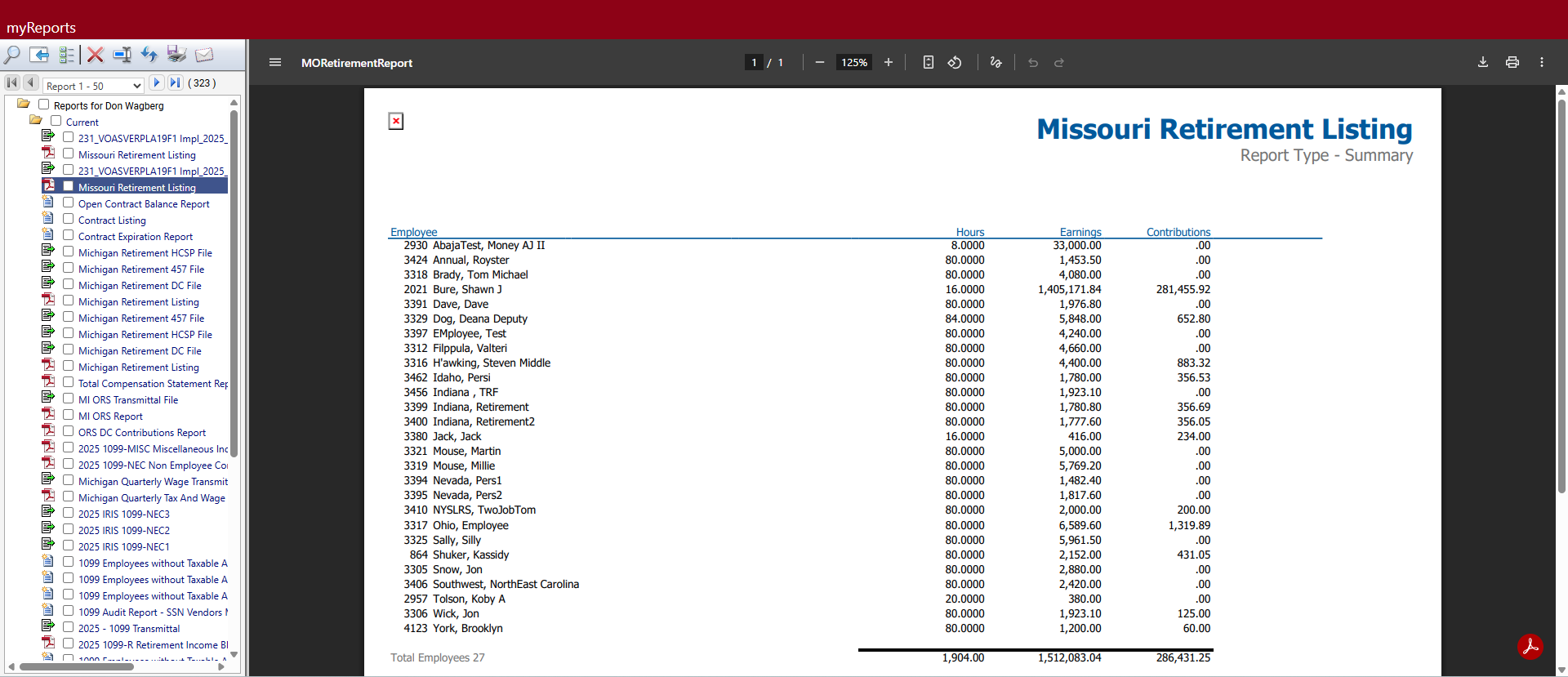
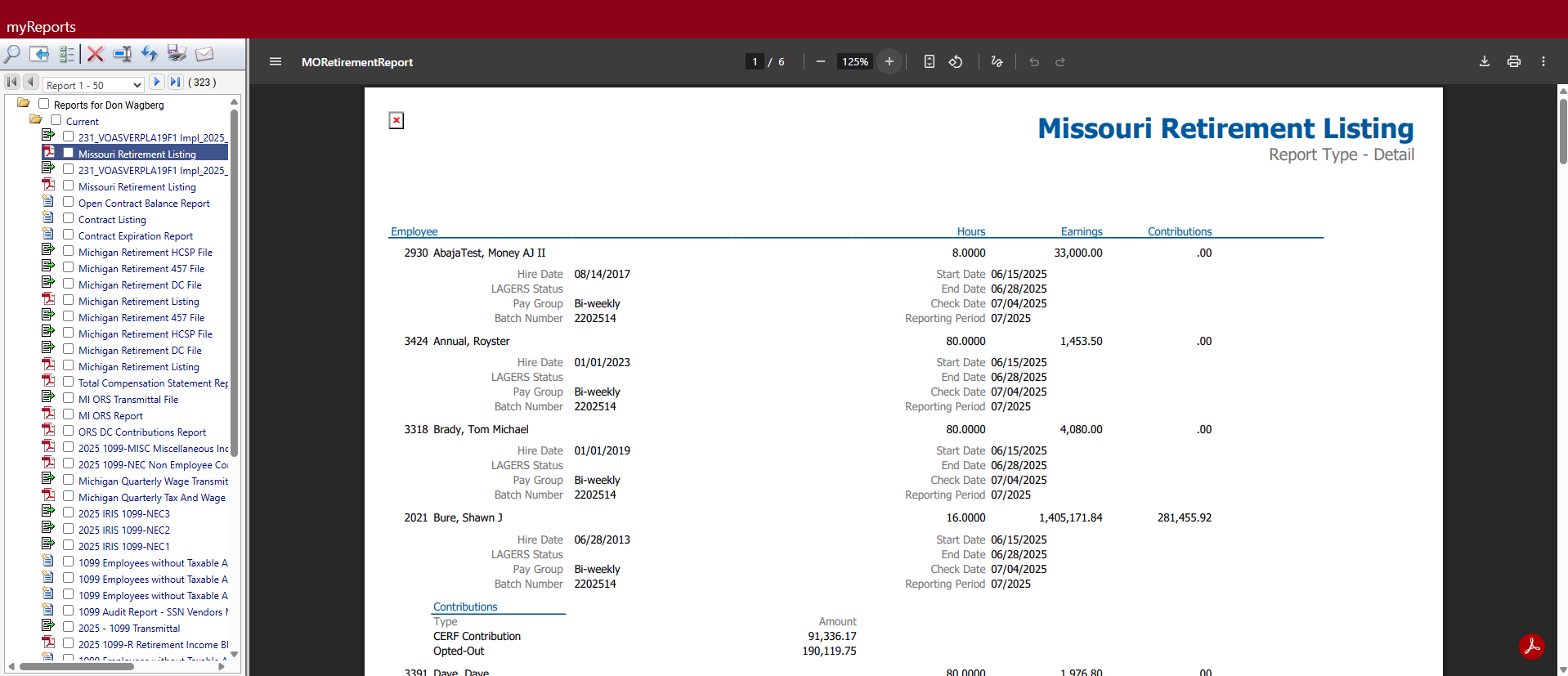
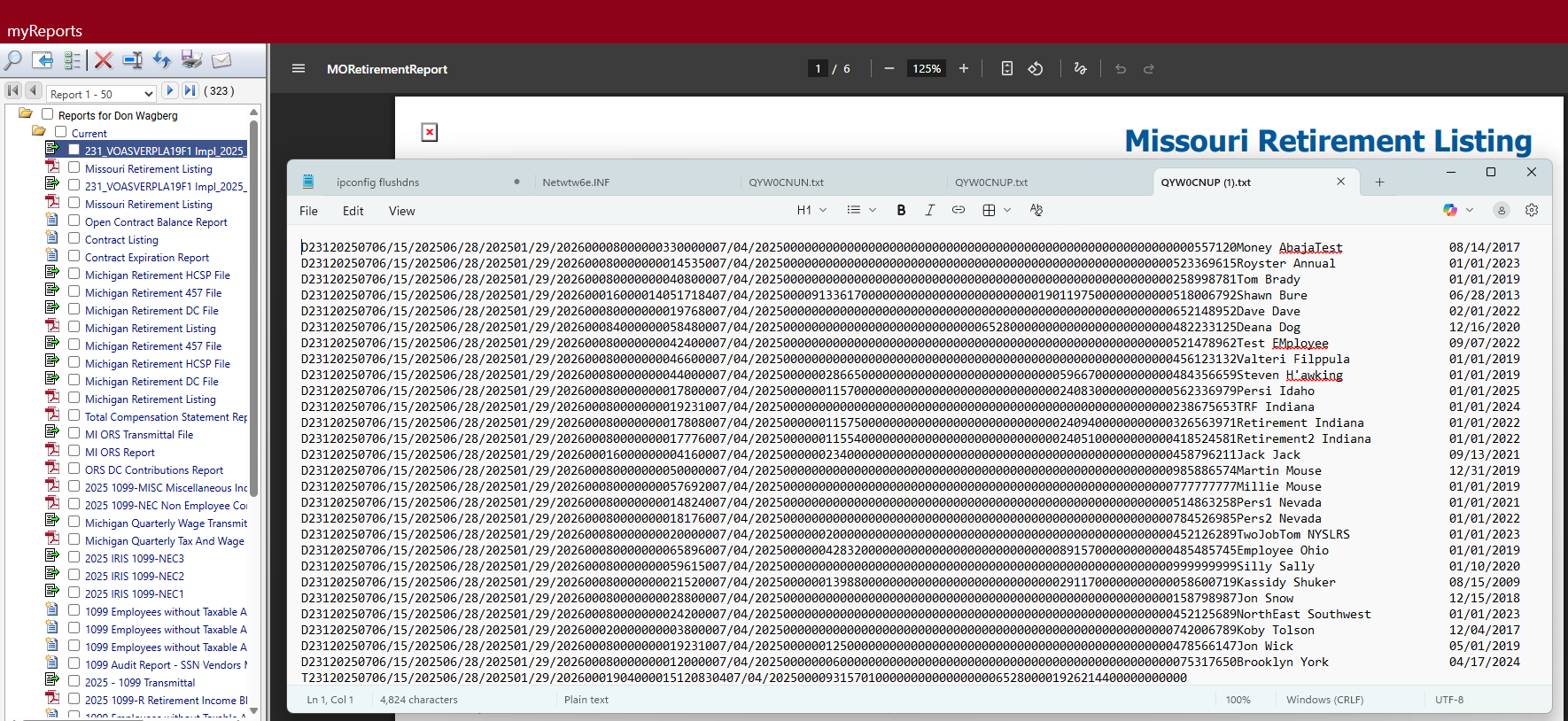
To create the Missouri Retirement Listing and transmittal file, click the Print button at the bottom of the Missouri Retirement List page. The Print Missouri Retirement List popup displays.
- From the Report Type dropdown, select whether to create a Summary or Detail listing.
- From the File Format dropdown, select Flat File.
- Mark the Contributions checkbox to include contributions data on the listing and transmittal.
- Click Ok. The report and transmittal file are created and sent to myReports.
Note: To navigate quickly from the Missouri Retirement List page to Missouri System Settings Maintenance, click the Settings button. The system settings page also provides a Retirement List button for navigating back to this page.